One canvas, every screen
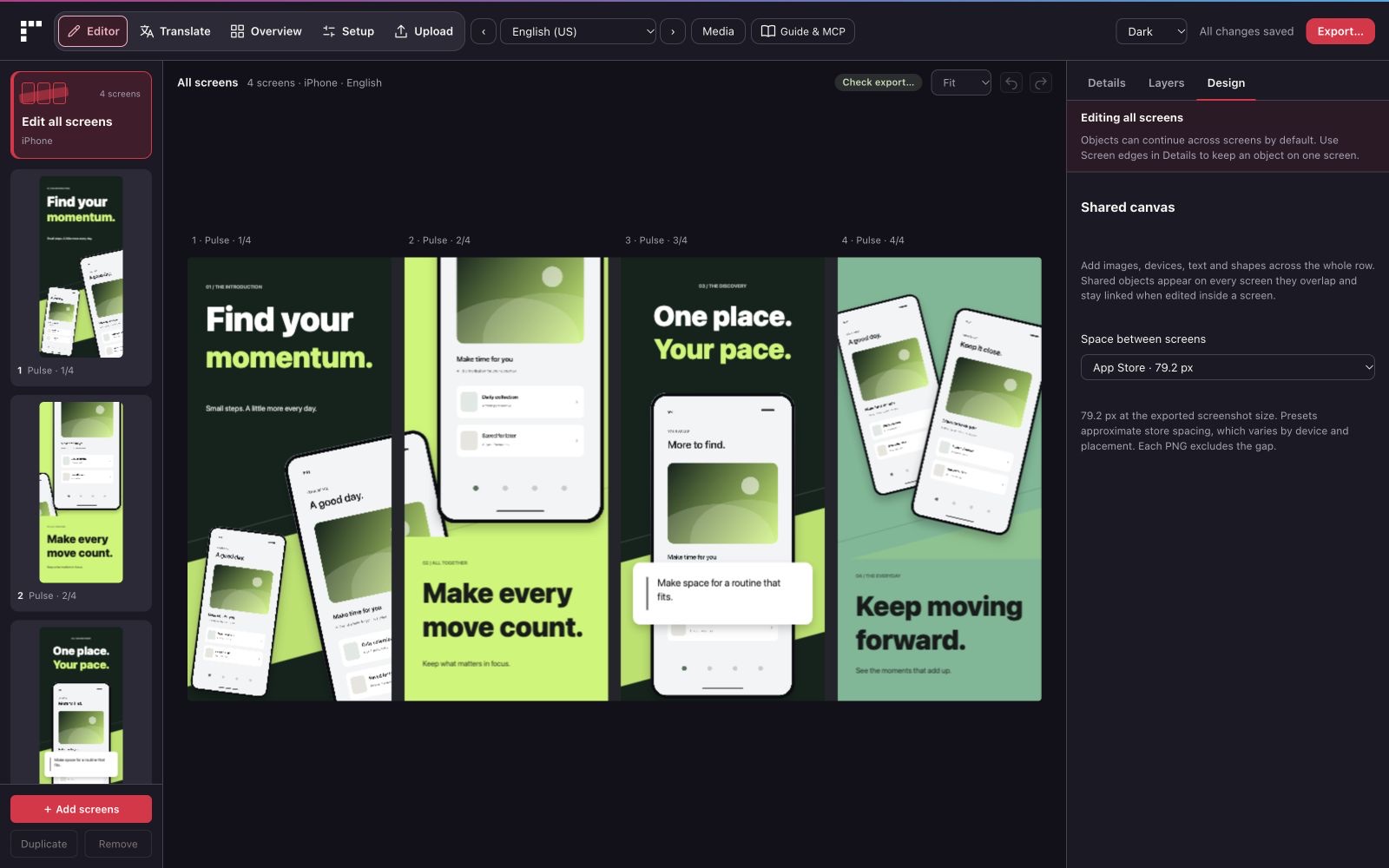
Design a connected story across the whole screenshot row, then refine individual screens. Shared objects continue across edges; alignment, snapping and measured spacing help keep the series consistent.
Screenshot Studio · free and open source
Design connected screenshots, bring in editable Figma or Illustrator artwork, translate every language and prepare your store release — all in one Mac app.
Features
From your first layout to translated screenshots and store uploads, keep the whole release in one editable project.
Design a connected story across the whole screenshot row, then refine individual screens. Shared objects continue across edges; alignment, snapping and measured spacing help keep the series consistent.
Import Figma files or paste selections as editable text, shapes and vectors. Paste Illustrator artwork and formatted text, or add SVG and WebP files. Figma copy and paste works without an API key.
Draw shapes and Bézier paths, edit points and live corners, and refine gradients, outlines, shadows and blur. Combine shapes, make editable masks, name layer groups and change multiple objects together.
Translate one screen or every target language with OpenAI or Claude using your own API key. Compare against the original, review meaning checks and approve the copy yourself. AI translations stay drafts until reviewed.
Use generic device illustrations or import your own PNG frames and Apple frame DMGs with automatic screen detection. Choose captures, fitting and frames independently of the export canvas. Used frame artwork stays with the project.
Review missing captures, fonts, text fit and readability before exporting RGB PNGs at your chosen store sizes. Upload screenshots and supported search/header artwork directly to App Store Connect with your API key, or export files for Google Play.
Connect Codex or Claude Code through MCP to create projects, edit text and layers, import captures, inspect previews and run export checks. The connection follows the project open in the app; the download includes the server and renderer.
Also built in
Your layouts, languages and source artwork remain editable when the next app version comes around.
Explore the user guide, import support and limits or App Store Connect upload guide.
How it works
Start from a reusable design, a blank canvas or editable artwork from Figma and Illustrator. Add your app captures and device frames.
Add languages and translate the text with AI, then adjust any layout that needs it.
Run the checks, export correctly sized PNGs and upload directly to App Store Connect, or take your export to Google Play.
Download
Free · macOS 13+ · Apple silicon
Unzip the download, then move Screenshot Studio.app into your Applications folder.
Open source
Bring your ideas, designs, translations or code. Everything happens on GitHub.